The CSS masonry syntax wars
Overview: display: masonry vs grid-template-rows: masonry
There are were two competing philosophies for how to bring masonry to the browser:
- The Firefox (Mozilla) approach: They believe masonry is just a specific type of Grid. You would use
display: gridand simply set the rows tomasonry. - The Chromium (Google) / WebKit (Apple) approach: They were proposing a brand new
display: masonryproperty. They argue that masonry layout logic is different enough from Grid (which relies on a strict X/Y coordinate system) that it deserves its own layout module, similar to how flex is separate from grid.
1. The Firefox approach
You will need to enable the layout.css.grid-template-masonry-value flag in your Firefox browser. You can go to about:config and search for 'masonry' as shown below:

The HTML structure
// Notes:
// - Some of the images have been removed from the html code just for the sake of brevity.
// - The html structure is exactly the same for both the Firefox approach and the Chromium approach.

<div class="grid-masonry">
  <div class="masonry-container">
    <h2 class="label">Image 1</h2>
    <img
      src="https://images.unsplash.com/photo-1470071459604-3b5ec3a7fe05?auto=format&fit=crop&q=80&w=800&h=600" />
  </div>
  <div class="masonry-container">
    <h2 class="label">Image 2</h2>
    <img
      src="https://images.unsplash.com/photo-1487958449943-2429e8be8625?auto=format&fit=crop&q=80&w=400&h=400" />
  </div>
  <div class="masonry-container">
    <h2 class="label">Image 3</h2>
    <img
      src="https://images.unsplash.com/photo-1494438639946-1ebd1d20bf85?auto=format&fit=crop&q=80&w=600&h=800" />
  </div>

  <!-- More images repeated here... -->
</div>
The CSS for Firefox
.grid-masonry {
  display: grid; /* This part is unique to Firefox masonry layout */
  gap: 14px;
  margin: 60px;
  grid-template-columns: repeat(auto-fill, minmax(250px, 1fr));
  grid-template-rows: masonry; /* This part is unique to Firefox masonry layout */
}

.masonry-container {
  position: relative;
}

.label {
  position: absolute;
  top: 0;
  left: 0;
  background-color: rgba(0, 0, 0, 0.6);
  color: white;
  padding: 0.5rem 1.5rem;
  z-index: 10;
}
Example masonry layout result
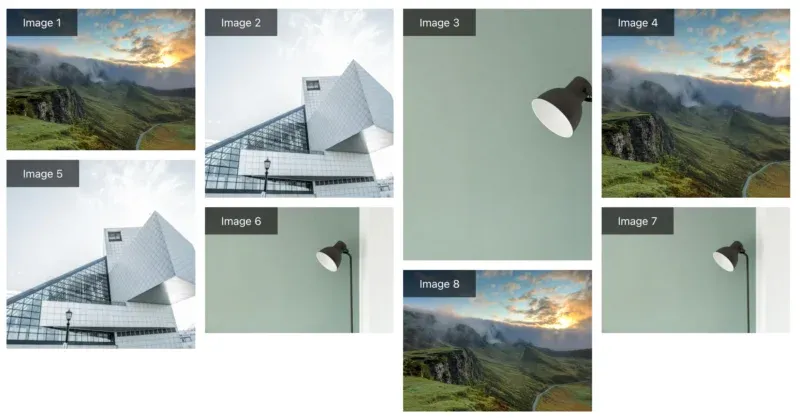
2. The Chromium/WebKit approach
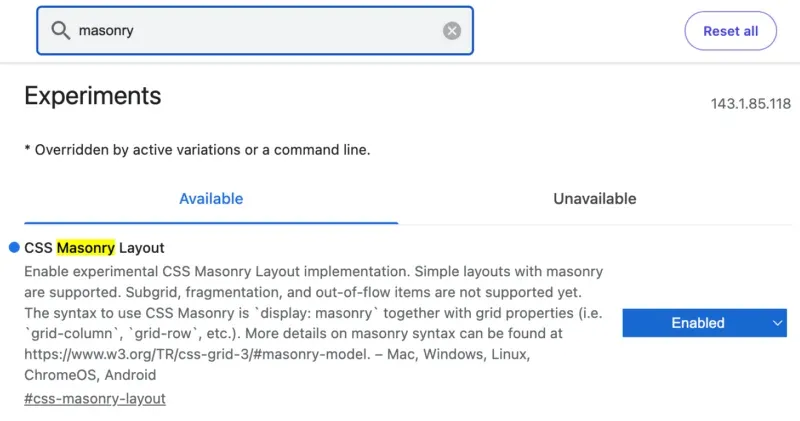
You will need to enable the CSS Masonry Layout experimental flag in your Chromium/Webkit browser. For example, in Chrome you can go to chrome://flags or in Brave browser go to brave://flags and search for 'masonry' as shown below:
The CSS for Chromium (Google) / WebKit (Apple)
The html structure remains exactly the same as for Firefox. The only difference is in the CSS.
As mentioned in the overview section, Chromium/WebKit based browsers take a different approach. They use a completely new display property called masonry as shown below:
.grid-masonry {
  display: masonry; /* This part is unique to Chromium/Webkit masonry layout */
  gap: 14px;
  margin: 60px;
  grid-template-columns: repeat(auto-fill, minmax(250px, 1fr));
}

.masonry-container {
  /* As above */
}

.label {
  /* As above */
}
3. And the winner? display: grid-lanes
Neither of the above 2 options! As of November, 2025, the CSS Working Group announced the following:
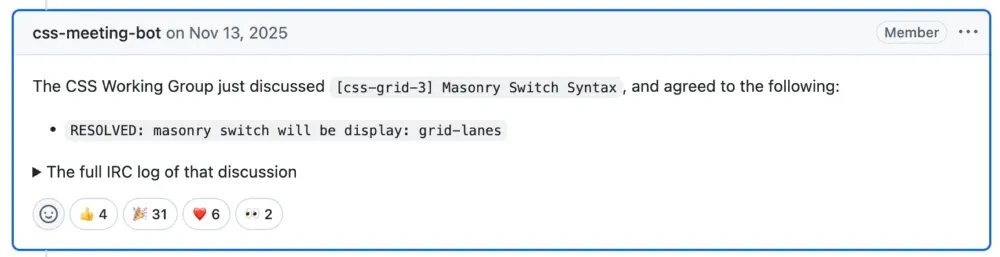
From the W3C Working Draft:
Grid lanes layout lays out items into pre-defined tracks similar to grid layout in one axis (called the grid axis), but flows them freely similar to flex layout in the other (called the stacking axis). Similar to grid layout and unlike flex layout, grid lanes layout’s auto-placement distributes items across the tracks to keep the lengths of those tracks as similar as possible.
.grid-masonry {
  display: grid-lanes; /* The new masonry layout option (when fully supported) */
  gap: 14px;
  margin: 60px;
  grid-template-columns: repeat(auto-fill, minmax(250px, 1fr));
}
And when will it be supported?
Short answer, don't know. It can currently be tested in browsers such as Safari Technology Preview. Hopefully, the other major browsers implement support for the new display property quickly now that it has finally been announced by the CSS working group.